Optix G27C5 Specs, Features, and Value: Is it worth the price tag?
Category: Electronics
Introduction
The MSI Optix G27C5 is a 27-inch curved monitor positioned at the budget-to-mainstream segment of the gaming monitor market. It aims to balance fast refresh rates and curved immersion with an affordable price. For many buyers—competitive gamers, casual players, and people who want an immersive desktop for mixed-use—this model promises a straightforward, no-frills approach: a VA panel for deep contrast, a high refresh rate for smoother motion, and a curved shape that wraps the view without demanding much desktop real estate.
This article examines the Optix G27C5 in detail: the key specifications, real-world performance across use cases, strengths and weaknesses, how it stacks up against common alternatives, and a practical buying guide. The goal is to help readers decide whether the monitor's feature set and likely price point match their needs.
Specifications at a glance
| Attribute | Optix G27C5 (typical specification) |
|---|---|
| Panel type | VA (curved) |
| Diagonal size | 27 inches |
| Resolution | 1920 × 1080 (Full HD) |
| Refresh rate | Up to 165 Hz |
| Response time | 1 ms MPRT (marketing figure) |
| Curvature | 1500R (moderate curve) |
| Adaptive sync | AMD FreeSync / Adaptive-Sync supported |
| Brightness | ~250 cd/m² (typical) |
| Contrast ratio | Typical VA contrast (~3000:1) |
| Connectivity | 1 × DisplayPort, 2 × HDMI, 3.5 mm audio out |
| Ergonomics | Tilt-adjustable, VESA 100 × 100 compatible |
| Speakers | Basic built-in speakers (for notifications) |
Detailed review and analysis
Design and build quality
The Optix G27C5 follows a typical MSI gaming design language: matte black plastics, angular stand elements, and a subtle gamer aesthetic without being overly flashy. The curvature (around 1500R) gives the display a gently enveloping appearance that improves subjective immersion for single-screen setups. Build quality tends to be solid for the price class—no aluminum unibody, but a stable base and a VESA mount for those who prefer third-party arms.
Ergonomically, the monitor typically offers tilt adjustment but limited height or swivel, which is common in value-focused gaming panels. Users who prioritize precise ergonomic adjustment for long office sessions may need a VESA arm for optimal positioning.
Panel characteristics and image quality
At 27 inches and 1920×1080 resolution, pixel density is lower than 1440p or 4K alternatives. This makes text and UI elements slightly larger, which can be a benefit for people who prefer bigger on-screen items, but it also means less sharpness for detailed content creation. The VA panel delivers strong native contrast, producing deeper blacks and more punchy dark scenes compared with typical IPS panels, which suits night-time gaming and movie watching.
Color accuracy out of the box tends to be adequate for general multimedia and gaming. For photo and video professionals, a monitor with wider color coverage and factory calibration would be preferable. Still, with simple calibration (software or colorimeter), the G27C5 can become serviceable for hobbyist content work.
Motion handling and gaming performance
A refresh rate up to 165 Hz is the headline feature for gamers. Paired with a 1 ms MPRT marketing response time and Adaptive Sync support, the monitor presents smooth frame delivery for fast-paced games. Competitive players will appreciate the higher refresh for reduced motion blur and input lag improvements, although elite esports players often prioritize 240 Hz or 360 Hz and prefer TN or fast IPS panels for marginally lower latency.
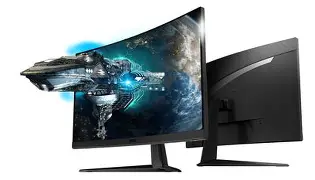
VA panels historically have slower pixel transitions than IPS or TN, which can lead to some trailing in certain rapid transitions. MSI's overdrive and response tuning help mitigate this, but buyers should weigh whether perfect frame clarity is more important than better contrast and deeper blacks.
Discover deals on Electronics — updated daily.
See Deals →Connectivity and extras
The usual complement of ports—DisplayPort and multiple HDMI inputs—makes the G27C5 flexible for PC and console use. A single 3.5 mm audio out supports external speakers or headsets. Built-in speakers are present but generally lightweight in fidelity; they are fine for basic use and system sounds but not for immersive audio or music listening.
Everyday usage and real-world scenarios
When considering how the monitor performs in daily life, it helps to break down common user profiles:
- Competitive FPS players: The 165 Hz refresh rate improves target tracking and reduces perceived input lag compared with 60 or 144 Hz displays. However, those chasing the smallest latency margins may prefer a dedicated high-refresh flat IPS at 240 Hz.
- Casual and single-player gamers: The curved VA panel enhances immersion in racing, RPG, and simulation titles, where deep blacks and contrast create atmospheres that pull users into the scene.
- Office and productivity users: The monitor's size and curve can improve focus on a single window or split-screen workflows. The FHD resolution on 27" means less workspace compared with 1440p, but text legibility is generally comfortable without scaling.
- Content hobbyists: Photo or video hobbyists can use the monitor for editing with some calibration, but professionals requiring precise color accuracy and higher pixel density should consider 1440p+ and wider gamut panels.
Power consumption and noise
Power draw is modest in the value segment, which keeps operating costs low. Fans are not part of panel operation, so the monitor is silent. Any audible noise will come from connected PCs or speakers, not the display itself.
Pros & Cons
- Pros:
- Good contrast and deep blacks thanks to VA panel
- High refresh rate (up to 165 Hz) for…
Model / Category Panel & Size Resolution Refresh Rate Strength Optix G27C5 VA 27" curved 1920 × 1080 Up to 165 Hz High refresh + strong contrast at affordable price Generic 27" 144Hz Curved VA competitor VA 27" curved 1920 × 1080 144 Hz Similar contrast, slightly lower refresh 27" 1440p 144Hz IPS (mid-range) IPS 27" 2560 × 1440 120–165 Hz Higher sharpness and color accuracy; less contrast 27" 240Hz flat IPS (high-refresh competitive) Fast IPS 27" 1920 × 1080 or 2560 × 1440 240 Hz+ Lowest latency for competitive esports; higher cost In short, the G27C5 sits between generic 144 Hz VA monitors and higher-end 1440p/240 Hz options: it trades pixel density and professional-grade color for a higher refresh rate and deeper contrast at an accessible cost.
Buying guide: who should buy the Optix G27C5?
When evaluating whether the Optix G27C5 is the right purchase, consider the following buyer motivations and trade-offs.
1. Gaming priorities
If the user values immersion and contrast over absolute pixel sharpness, the G27C5 is an attractive option. For single-player experiences, RPGs, racing sims, and casual multiplayer, the 165 Hz refresh rate and VA contrast deliver a satisfying experience. For highly competitive FPS players who chase every millisecond, a faster IPS at 240 Hz might be preferable.
2. Resolution vs. size trade-off
At 27 inches, Full HD (1920×1080) results in lower pixel density than 27" 1440p displays. Buyers who need more desktop real estate for spreadsheets, programming, or photo editing should prefer 1440p. However, those who prioritize framerate—especially on mid-range GPUs—may choose FHD to get higher frame rates for the money.
Shop the latest Electronics picks on Amazon.
View Offers →3. Color and creative work
The G27C5 is fine for hobbyist creators and general multimedia, but professionals working in print, color-critical video, or high-end photography should seek an IPS or professional monitor with broader color gamut coverage and factory calibration.
4. Ergonomics and mounting
Because the stand may only offer tilt, shoppers who require height adjustment, swivel, or portrait orientation should plan to buy a VESA-compatible arm. The monitor's VESA 100 × 100 pattern supports that, which is a plus for desk setups that need flexibility.
5. Practical buying tips
- Check the panel revision and firmware: Manufacturers occasionally refresh panels or publish firmware updates that affect performance. Check the official support notes before purchase and after setup.
- Use the right cable: For 165 Hz at FHD, use the included DisplayPort or a high-speed HDMI 2.0 cable when available. Older HDMI or low-quality cables may limit refresh rates.
- Enable Adaptive Sync: Turn on FreeSync (or Adaptive Sync) in both GPU drivers and the monitor menu to reduce tearing and stutter at variable frame rates.
- Calibrate for color-sensitive work: A basic colorimeter and display profiling software can significantly improve color consistency for photo and video editing.
- Consider GPU pairing: If the user wants to use the monitor at 165 Hz in modern games, ensure the GPU can sustain high frame rates at FHD; otherwise, the refresh advantage won’t be fully realized.
Common real-world use cases
The G27C5 is most compelling in several real-world scenarios:
- Shared couch/desk gaming with consoles: Multiple HDMI ports allow fast switching between a PC and a console. The curve and high refresh rate create an engaging console gaming experience when frame pacing is supported.
- Streaming and content consumption: The strong contrast of a VA panel makes streaming darker content like cinematic shows more visually appealing than some IPS displays.
- Budget gaming rigs: For people building mid-range systems who want a fluid gaming feel without spending on 1440p or 240 Hz hardware, the G27C5 balances visual punch and performance.
- Home office with occasional gaming: The monitor is serviceable for daily office work and comfortable for evening game sessions, provided that the user accepts 1080p on a 27" screen.
Verdict and conclusion
The MSI Optix G27C5 represents a pragmatic option for buyers who want curved immersion and a high refresh rate without a premium price. Its VA panel delivers notably deep blacks and strong contrast, making it enjoyable for gaming, movies, and mixed-use desktops. The 165 Hz refresh rate offers a tangible upgrade over 60–144 Hz displays, and Adaptive Sync keeps gameplay smooth across a range of framerates.
However, potential buyers should weigh two important trade-offs. First, the 27" FHD resolution yields lower pixel density than 1440p alternatives, affecting sharpness for detailed work and reducing desktop workspace. Second, VA pixel transitions can show motion trailing in select scenarios, so those who need the absolute lowest latency for competitive esports may prefer a fast IPS or higher-refresh flat panel.
Ultimately, the Optix G27C5 is worth considering for gamers and general users who prioritize immersion, contrast, and a high refresh rate at an accessible cost. For professionals who require color-critical accuracy or users who want the sharpness of 1440p at 27 inches, other options may deliver better long-term value. As with any monitor purchase, the best choice depends on the buyer’s primary use cases, their GPU capacity, and personal preferences for sharpness versus contrast.